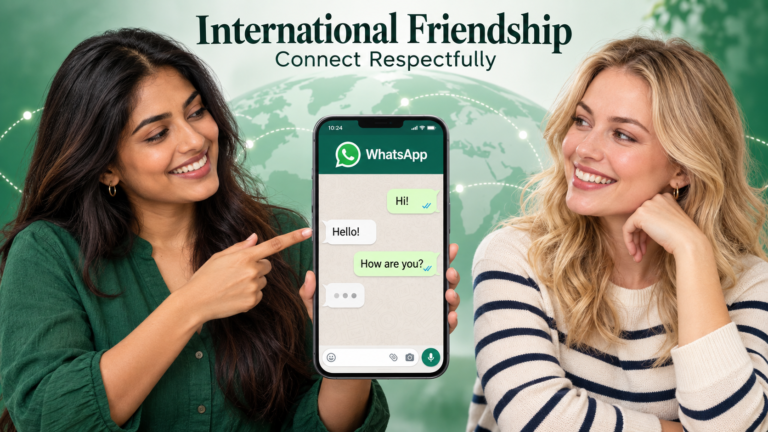
WhatsApp Privacy Settings For New Online Friends: What To Check Before Sharing Your Number
Sharing your WhatsApp number with a new online friend is a small action that can change how much access someone has to you. A conversation that previously stayed inside a hobby community or language exchange platform now reaches an account you may also use for family, work and everyday arrangements.
That does not make the exchange a bad idea. It makes a quick privacy review worthwhile.
Your number is only one part of the picture. Profile images, status updates, group invitations and calling habits can reveal information or create expectations you did not intend to share.
This guide explains WhatsApp privacy settings for new online friends through an illustrative scenario. It also covers the decisions that settings cannot make for you: what to disclose, when to accept calls and how to respond when someone ignores your boundaries.
The guidance is relevant worldwide. Menu labels and available options can vary with your phone and app version, so check the controls displayed on your own device.
Quick Answer: Before sharing your WhatsApp number with a new online friend, review profile visibility, status audiences, group permissions and calling preferences. Check photographs for identifying details and agree on communication boundaries. Privacy settings help control exposure, but thoughtful sharing remains necessary throughout the conversation.
The Scenario: A Friendly Conversation Moves To WhatsApp
Imagine an adult reader named Maya who joins an online language exchange community.
After several useful conversations with another adult member, they agree to continue practising through WhatsApp. Both are comfortable exchanging numbers, and neither is pressuring the other.
Before sending her number, Maya opens her account and notices something she had forgotten: her profile photograph shows her standing outside her workplace. A sign behind her makes the location easy to identify.
Her recent status updates also include family activities that were intended for people she already knows.
Nothing in the new conversation has suggested a problem. Maya simply realises that the account contains more personal context than she intended to share with a recent acquaintance.
Maya is a fictional example used to explain the process. This is not a reported incident or a claim about a tested account.
She reviews her settings, replaces the revealing photograph and decides which updates belong in a smaller audience.
Lesson: Review the account you actually use rather than assuming it contains only the information you consciously plan to share.
Phase One: Decide What A New Contact Should Know
Maya begins with a question that comes before any setting:
“What information am I comfortable sharing at this stage?”
She is happy to discuss books, language learning and general interests. She is not ready to share her home address, employer, regular travel route or family details.
This distinction helps her choose settings with a purpose.
Without it, a privacy review can become a series of random switches. You might hide information that does not concern you while overlooking something personally sensitive.
Think about the different audiences in your life. Close friends, colleagues, relatives and new online acquaintances do not necessarily need the same access.
A useful starting list is:
- Information suitable for a public introduction.
- Information suitable for an established conversation.
- Information you prefer to keep within close relationships.
- Information you should not share through casual messaging.
These categories are personal. Someone working in a public role may deliberately publish details that another person would keep private.
How to assess your choices: Consider whether you would be comfortable with the information being retained or seen outside the immediate conversation.
Lesson: Privacy settings work better when they follow a clear decision about your audience.
Phase Two: Review Your Profile Photograph
A profile photograph can communicate more than appearance.
It may show a workplace logo, a familiar building, a vehicle registration, an identification badge or another person who did not agree to appear in your account.
Maya chooses a photograph with a neutral background. It still represents her, but it does not identify where she works.
You do not need to remove your photograph entirely to make a thoughtful choice. The aim is to control what it reveals.
Review the profile-photo visibility options available in your current app. Select an audience that matches how you use the account.
Also consider the people pictured with you. A group photograph may expose someone else’s image to contacts they have never met. Using your own photograph avoids making that decision on their behalf.
An image that feels ordinary to you may contain clues a stranger can understand differently. Look at the edges and background rather than concentrating only on your face.
How to confirm the review is complete: Check both the photograph’s contents and the audience allowed to see it.
Lesson: A suitable audience setting cannot remove identifying details from an image that you choose to share directly.
Phase Three: Examine Your Profile Text And Other Visible Details
Next, Maya reads the text associated with her profile.
A short description can reveal an employer, a school, a business, another social account or a routine. Those details may be intentional, but they should not remain visible merely because you forgot they were there.
Keep the wording appropriate to the account’s purpose.
For a personal account used with new acquaintances, a general interest or simple greeting may be sufficient. A public-facing professional account may need different information.
Avoid publishing sensitive identifiers, personal schedules or instructions that expose your whereabouts.
If you use the same name across several public platforms, remember that a new contact may connect those profiles. That is not necessarily undesirable, but it is worth considering before adding more identifying details.
Maya removes an old workplace reference that is no longer useful.
How to assess the result: Read the profile as a new acquaintance would. Ask what someone could infer from it without asking you any questions.
Lesson: Small pieces of information can become more revealing when combined.
Phase Four: Review Last-Seen And Online Visibility
Information about availability can affect a conversation even when it does not reveal a location.
A new contact may interpret visible activity as a promise that you can reply. That expectation can lead to questions such as, “You were online, so why did you ignore me?”
Maya decides that she does not want her activity to become a measure of responsiveness. She reviews the available controls for last-seen and online visibility.
Choose settings based on your comfort, then explain communication preferences when necessary.
Being online does not mean you are available for every conversation. You may be responding to family, handling work or checking something briefly.
Privacy controls can reduce unnecessary exposure, but a respectful friend should accept your availability even when they can see activity.
Do not use someone else’s online status to monitor their habits or demand an explanation.
How to confirm the boundary is understood: Make it clear that replies will happen when convenient, rather than on a timetable inferred from activity indicators.
Lesson: Availability information should not become an obligation to respond.
Phase Five: Check Your Status Audience Before Posting
Maya’s status updates include photographs from a family gathering.
She had posted them with familiar contacts in mind. Before continuing with new connections, she reviews who should see future updates.
Status content can reveal routines through repetition. A single café photograph might seem unremarkable. Frequent posts from the same place at the same time can provide a clearer picture of your habits.
Consider the audience each time you share something personal.
Photographs may also contain information about others: children’s names, house details, event invitations or private celebrations. Their presence in your account does not automatically make them appropriate for a wider audience.
Maya keeps language-learning updates separate from more personal family material.
You should also review the current visibility rules rather than assuming that a setting behaves exactly as it did previously.
How to assess a post: Ask who needs to see it, what it reveals and whether anyone else pictured would be comfortable with that audience.
Lesson: Status privacy is an ongoing posting decision, not just an account setup task.
Phase Six: Review Who Can Add You To Groups
A friendly private conversation does not imply agreement to join a group.
Groups can introduce unfamiliar participants and a different level of exposure. Before joining, understand what the group is for and what information members can see in that particular setup.
Maya reviews the group-permission controls available in her app. She also decides that unexpected invitations will be assessed individually.
A useful group invitation should explain:
- The group’s subject.
- Who generally participates.
- Whether it is moderated.
- What kind of posting is expected.
- Whether participation is optional.
Be cautious when a new contact repeatedly adds you to unrelated spaces or treats refusal as unfriendly.
You can enjoy speaking to someone without joining their wider network.
Likewise, ask before adding another person to a group yourself. Saving their number does not create permission to expand the audience around them.
How to confirm a group is suitable: Read its purpose and rules before contributing personal information.
Lesson: Group participation requires its own decision, separate from private contact.
Phase Seven: Set Comfortable Calling Expectations
Maya prefers arranging calls in advance because the two friends live in different time zones.
She explains this early: messages are welcome, but voice and video calls should be scheduled.
This avoids treating an unexpected call as a test of friendship.
Review any calling controls available in your version of WhatsApp, including options relevant to unfamiliar callers. Understand what each option does rather than assuming that silencing a call and blocking a contact are equivalent.
Technical settings are only part of the solution. A known contact can still call at inconvenient times, so a clear agreement remains useful.
You do not need to answer every call. You also do not need to activate video simply because the other person requests it.
Before a video call, consider the background visible on camera. Documents, photographs and identifying signs can reveal details unintentionally.
How to assess the arrangement: Both people can decline or reschedule without being pressured.
Lesson: Comfortable calls depend on consent, timing and what each person is prepared to show.
Phase Eight: Treat Read Receipts As A Preference, Not A Promise
Read indicators can create misunderstandings when people attach emotional meaning to them.
Maya sometimes reads a message between tasks and replies later. Her new friend prefers to compose longer responses in the evening.
Neither habit indicates disrespect.
Review the read-receipt options available to you and understand their current limitations. Do not assume one control affects every type of message or every conversation identically.
More importantly, discuss expectations where needed.
Reading a message does not mean someone has the time or energy to answer immediately. A useful friendship allows space between receiving, reading and responding.
Avoid using indicators to keep score. Repeated questions about why a message was read but not answered can make ordinary conversation uncomfortable.
How to assess the relationship: Notice whether both people accept delayed replies without accusations.
Lesson: A technical indicator provides limited context about someone’s circumstances.
Phase Nine: Review What You Share Inside The Chat
Once Maya has adjusted her profile settings, she turns to the content of the conversation itself.
An account can have careful privacy settings while its messages reveal sensitive information.
Before sending an image, check for:
- Addresses on parcels or envelopes.
- Names and numbers on documents.
- Travel details on tickets.
- Identification badges.
- Financial information on screens.
- Other people’s private conversations.
The same principle applies to voice messages. Background announcements or conversations may disclose information unintentionally.
Avoid forwarding someone else’s private message without permission. Removing a name does not always remove the identifying context.
Maya also avoids sending account verification codes or login details. A friendship conversation has no ordinary need for access to her accounts.
How to confirm a message is suitable: Pause briefly before sending sensitive material and consider whether a simpler version would serve the same purpose.
Lesson: Privacy depends on the content you send, not only on the settings around it.
[How To Make International Friends Online Safely]
Phase Ten: Understand The Limits Of Temporary Content
Temporary-message and limited-view features can be useful, but they should not be treated as a complete confidentiality guarantee.
Once information is shown to another person, you cannot fully control what they remember, repeat or record through other means.
Maya uses temporary content where it suits the conversation, while continuing to avoid sharing material she would regret losing control over.
This is particularly relevant to intimate images, identification documents and financial information. A technical feature does not establish that a request is appropriate.
Do not allow someone to pressure you by saying that a message is harmless because it will disappear.
The decision should be based on what you are comfortable sharing and why the information is needed.
How to assess the situation: Ask whether you would still send the material if its temporary nature were unavailable.
Lesson: A shorter display period does not turn sensitive information into low-risk information.
Phase Eleven: Respond When A Contact Ignores Your Boundaries
Maya’s privacy review is useful, but the other person’s conduct still matters.
Suppose a contact begins demanding immediate replies, repeatedly calling without agreement or asking for personal information after a refusal.
The next step is not necessarily another setting. It may be a direct boundary:
“I’m comfortable discussing our shared interests, but I won’t share those details.”
If the behaviour continues, you can reduce or end contact. You do not need to persuade someone that your boundary is reasonable before acting on it.
Use the blocking and reporting controls available when appropriate.
If messages involve threats, preserve relevant evidence and consider suitable local support. Avoid continuing an argument solely to obtain an apology or explanation.
A respectful contact may make an occasional mistake. The distinction is whether they listen and adjust when you explain your preference.
How to assess the response: Look for changed behaviour, rather than promises that are repeatedly ignored.
Lesson: Privacy controls help manage access; boundaries help determine whether the relationship should continue.
What The Scenario Shows
Before sharing your number, review the account, the content you post and the communication habits you are comfortable with. Revisit those choices as the relationship develops. A worthwhile online friendship allows both people to retain control over their information, time and participation.
Key Takeaways
- Review visible profile details before exchanging numbers.
- Choose audiences deliberately for personal updates.
- Treat group invitations and calls as separate decisions.
- Do not infer availability from online or read indicators.
- Inspect photographs and recordings for accidental disclosures.
- Temporary content still requires careful judgement.
- Respond to repeated boundary violations with action.
Frequently Asked Questions
Can Privacy Settings Prevent Every Problem With A New Contact?
No. They can help limit exposure, but they cannot make another person respectful or prevent every form of misuse. Careful sharing and clear boundaries remain necessary.
Should I Use A Separate Number For Online Friendships?
That depends on your circumstances and whether you can maintain access to it reliably. Separation can help organise communication, but it does not replace privacy settings or careful decisions about what you share.
Is It Unfriendly To Keep My Profile Information Private?
No. You can be approachable without making every personal detail visible. A respectful acquaintance should accept that trust and disclosure develop gradually.
Should I Change Settings Every Time I Add A Contact?
You do not necessarily need a full review each time. However, it is sensible to reconsider your audiences when the account starts serving a new purpose or includes people outside your usual circle.
What If A Friend Shares My Number Without Asking?
Explain that your number should not be distributed without permission. Review incoming-contact controls and decide whether the person’s response affects your willingness to continue the friendship.
Can I Undo Information I Have Already Shared?
You can use available deletion controls and ask the recipient to remove material, but you cannot assume every copy or recollection has disappeared. Future sharing decisions should reflect that limitation.